
03 — Inspire Magazine Updates: Delivered and Live
Three Inspire requests are live on communitynewspapers.com: the archive hero removed (no charge), the Inspire page redirecting to the category page ($105.00 after the 30% reduction), and the full-width reader with editions scroller, cover alone and two-page spreads ($236.25 after the 30% reduction). Two free bonuses are live too: the Digital Editions menu name and the new Inspire dropdown order. Each of the four invoice checks has its live link and screenshots, plus the two rollback phrases.
Every result on this page was checked on the live communitynewspapers.com on November 7, 2026 with an automated browser check (Playwright with Google's Chromium browser), on desktop and phone. Screenshots are from the same check.
Inspire Magazine updates: delivered and live
Live on communitynewspapers.com on Saturday, November 7, 2026. Invoice INV-X-2026-040: paid, $341.25.
Everything below is open to read in your browser right now. Each item was checked on the live site, and the screenshots are from that check. Sections are closed by default: tap one to open it.
[Update Nov 10: Inspire viewer](https://dashboard.needawebnow.com/portal-v2/t/68tLZoNxkk23-kLXIq-Mlg4xVrpG-rXd/reports/04-inv040-inspire-viewer-update)
What was delivered
| # | Request | What you pay |
|---|---|---|
| 1 | Remove the large hero image from the Inspire archive page | No charge |
| 2 | Inspire page redirects to the Inspire category page | $105.00 (after the 30% reduction) |
| 3 | Inspire flipbook, Option B: full-width reader with editions scroller | $236.25 (after the 30% reduction) |
| Invoice total, paid | $341.25 |
Two bonus items were added at no charge: the Digital Editions menu name and the new order of the Inspire dropdown (details below).
The four checks on the invoice
Check 1 of 4: the Inspire address lands on the Inspire category page
Opening Inspire page address now lands on Inspire category page. Checked live on November 7, 2026: the first address answers with a permanent redirect (HTTP 301) and the category page answers 200. One redirect, no loop. The address without the trailing slash, and an address carrying tracking text such as ?utm_test=1, behave the same and keep that text.
Try it: Inspire page address
Check 2 of 4: videos come first on the Inspire category page
Videos assigned to the Inspire category now appear first. Checked live on desktop and phone: the Inspire VIDEOS section (6 videos) sits above Inspire STORIES.
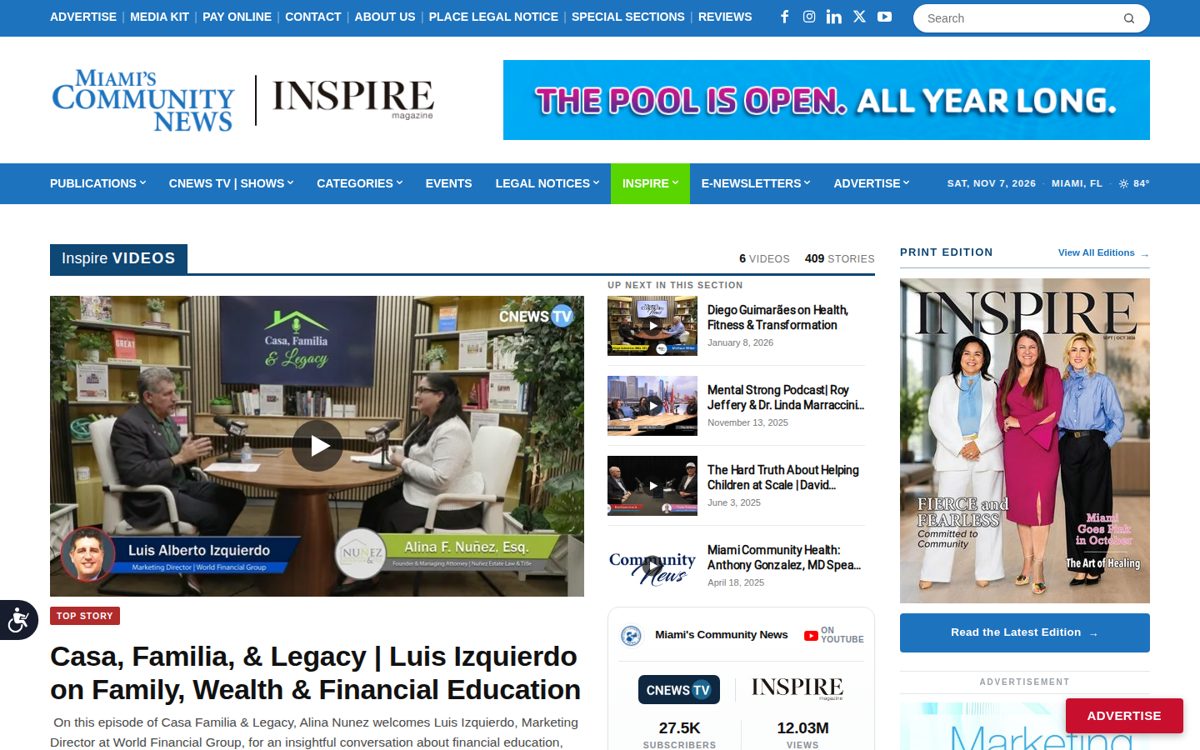

See it live: Inspire category page
Check 3 of 4: the reader runs full width with an editions scroller
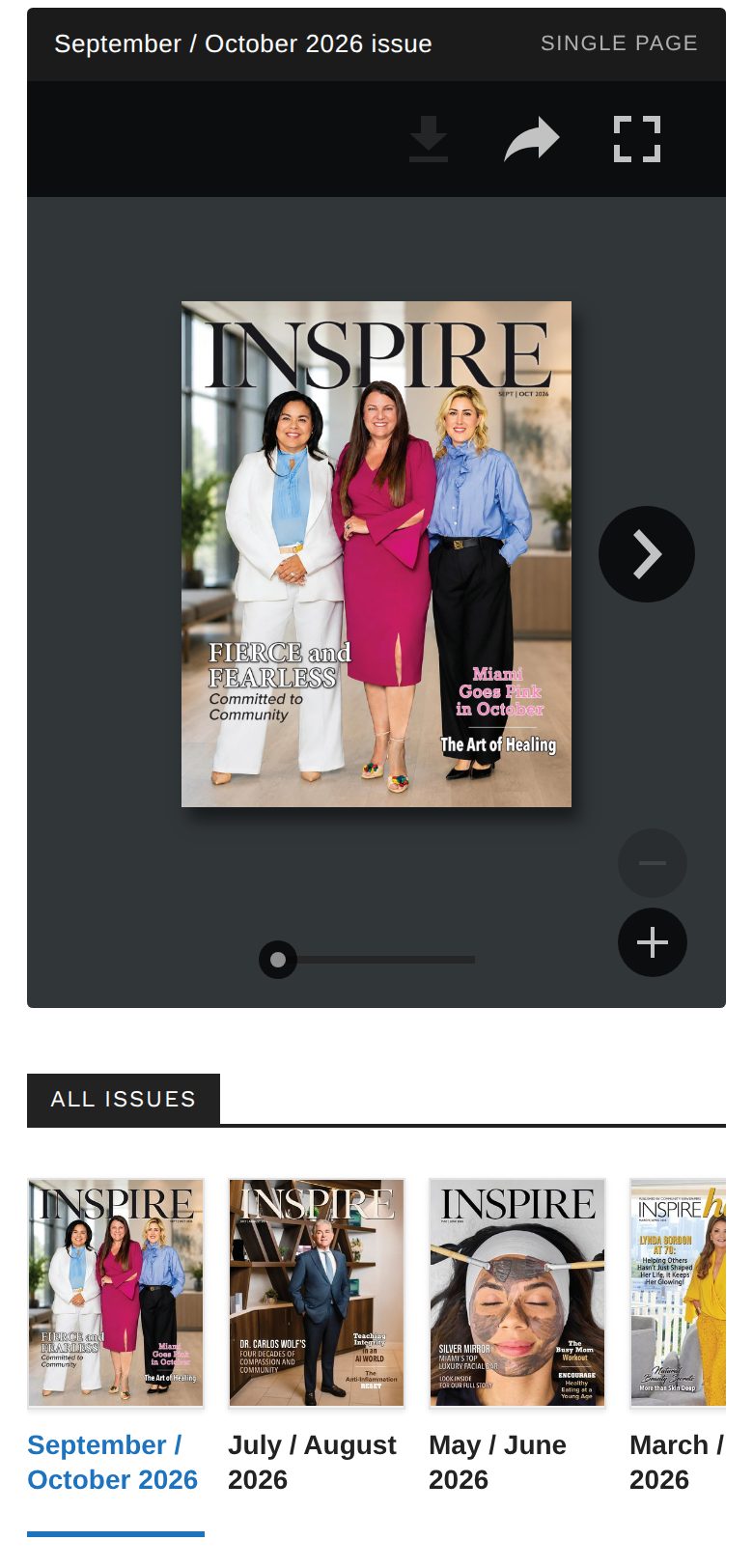
Checked live on November 7, 2026: the reader is 1,320 pixels wide on a 1,440-pixel desktop, and 362 of 390 pixels on a phone. There is no sidebar, no large hero image and no ad slot above it. The scroller shows 19 issue covers with no sideways scrolling of the page. Tapping a cover switches the reader in place (for example from September / October 2026 to May / June 2026), and each issue has its own direct link.
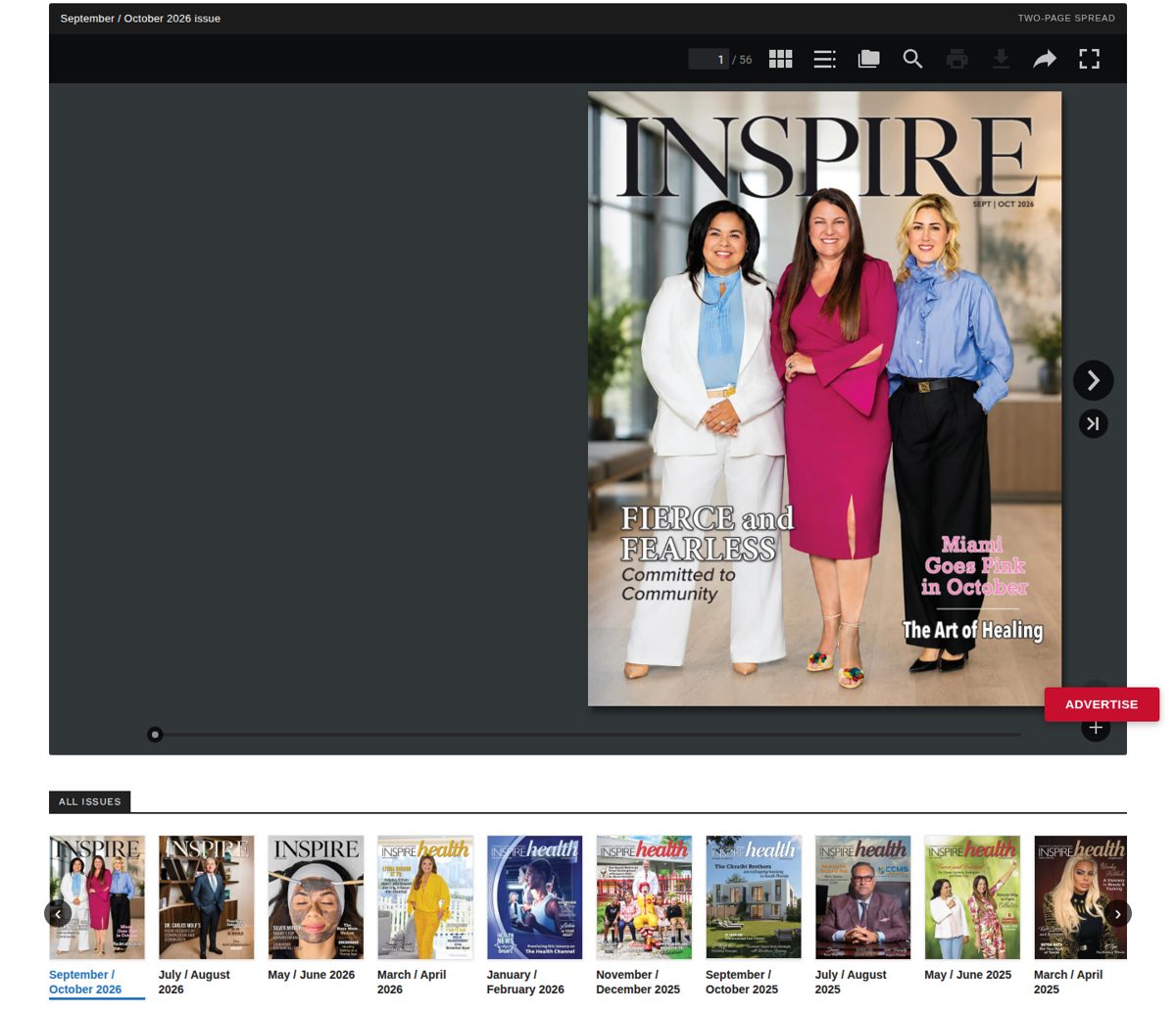
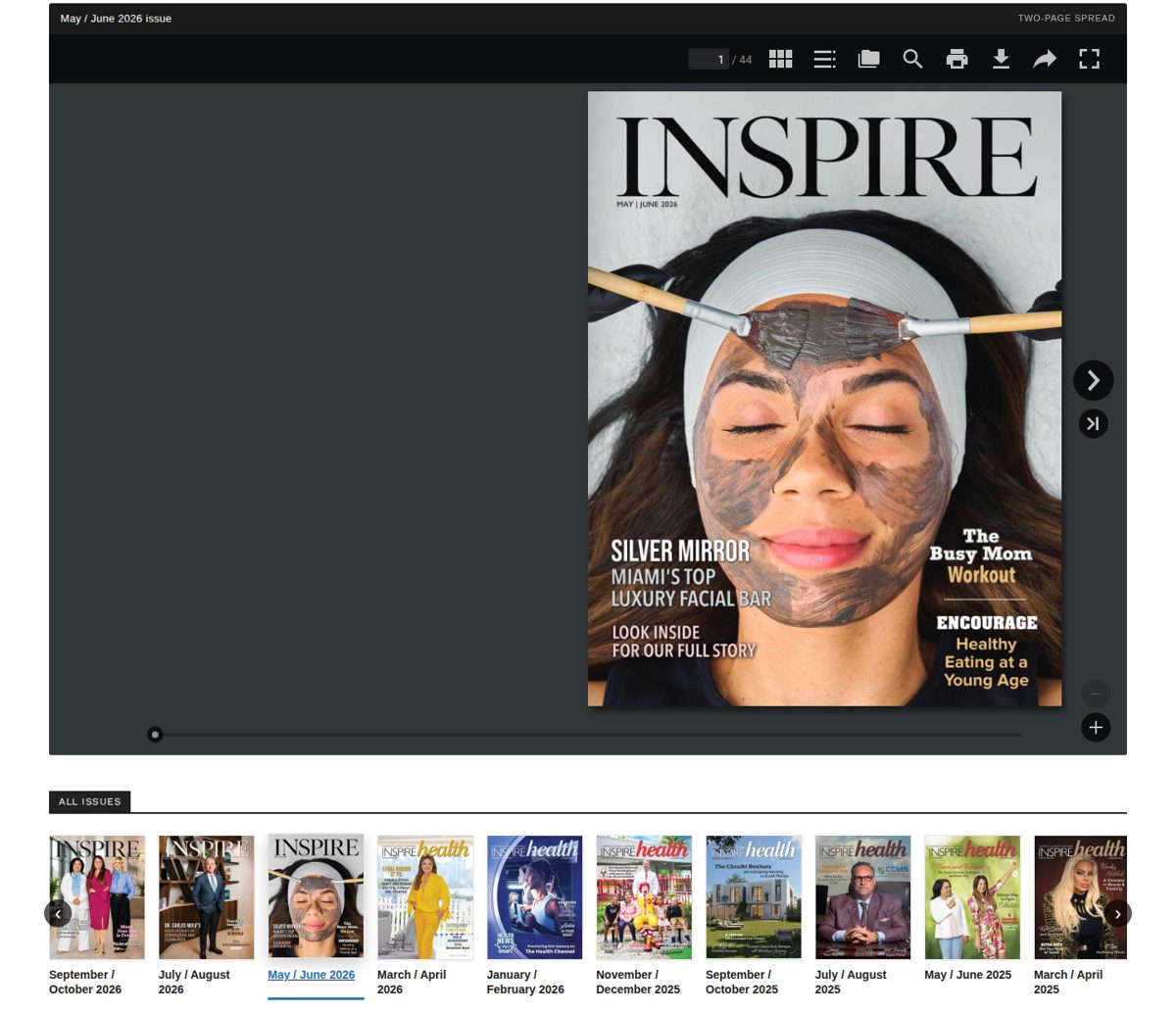
See it live: Inspire archive reader
Check 4 of 4: the cover shows alone, every inner page shows as a two-page spread
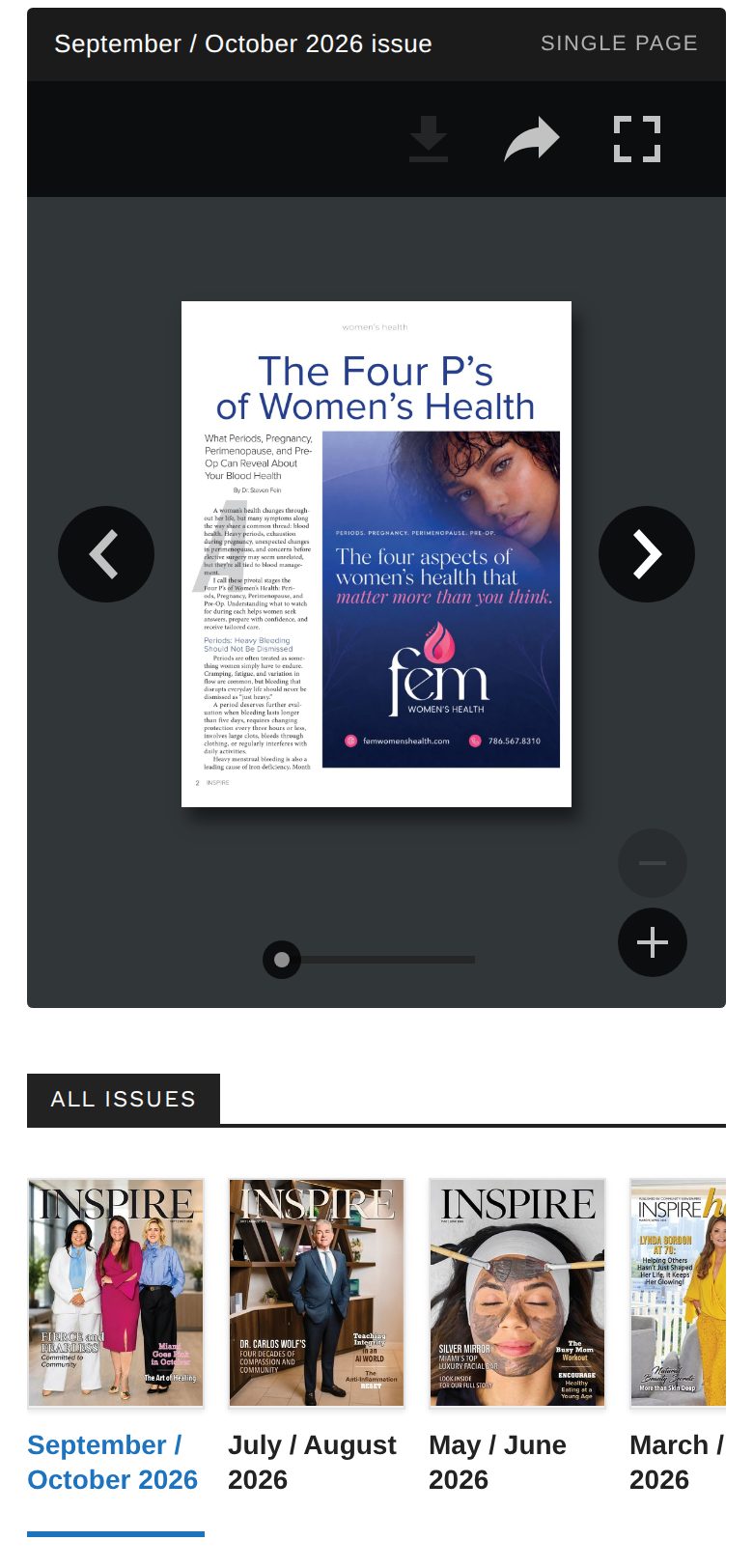
Checked live on November 7, 2026: the page counter at 1 / 56 shows the cover on its own; pages 2 and 3 show side by side (counter 3 / 56).
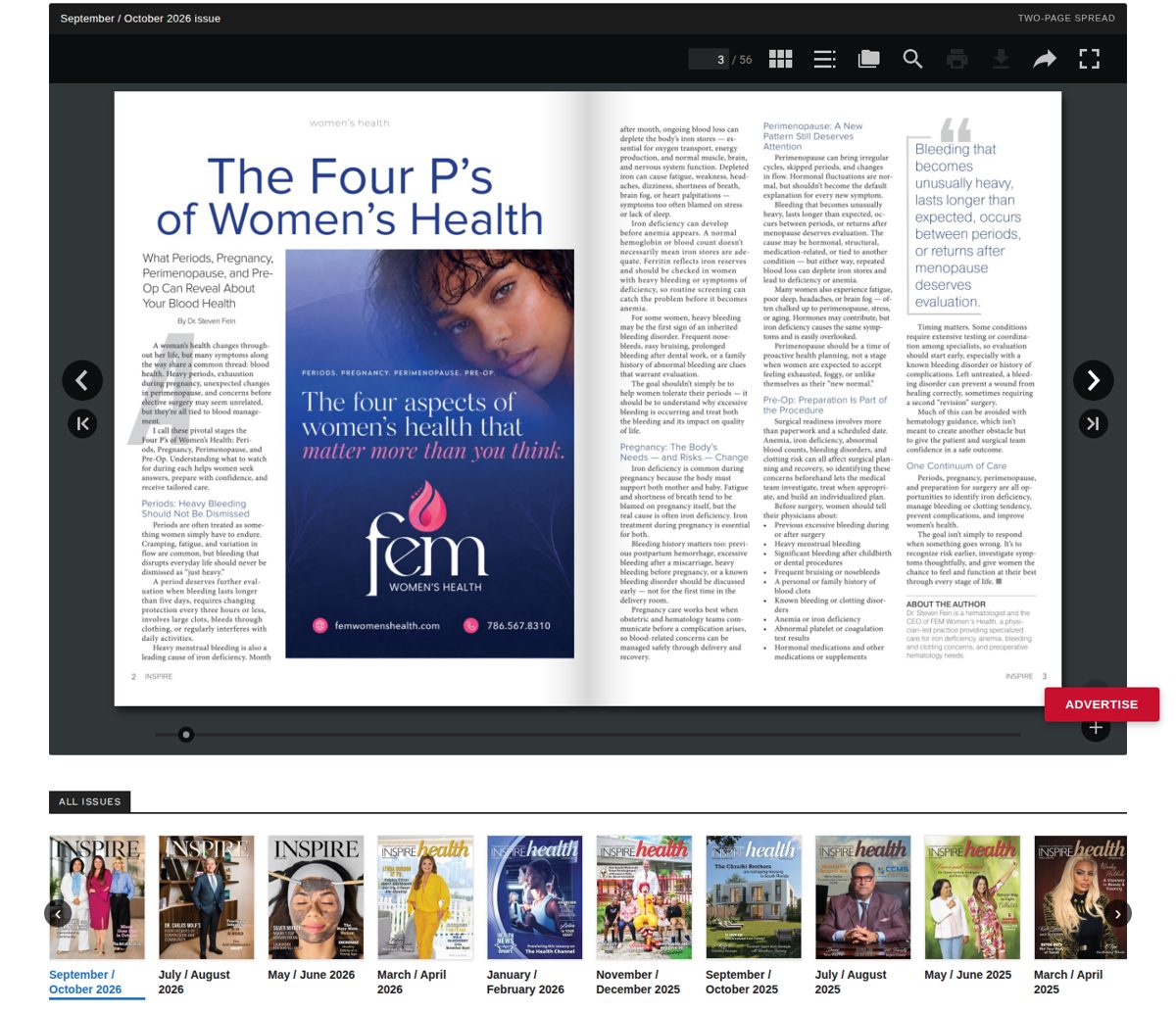
See it live: Inspire archive reader
Using it on a phone
Hold the phone upright and the reader shows one page at a time, large enough to read. Turn the phone sideways (landscape) to see the two-page spread.
Phone screenshots
Two free bonuses
Bonus 1: the menu now says "Digital Editions"
The past-editions entry in the menu is now named Digital Editions (visible in the Inspire dropdown screenshots in Bonus 2). Its page, address and links are unchanged. Checked live on November 7, 2026: the menu reads Digital Editions, and the page title and breadcrumb match.
To go back to the old name, reply with this phrase: Roll Back Past Editions Menu Name Change
Bonus 2: the Inspire dropdown order
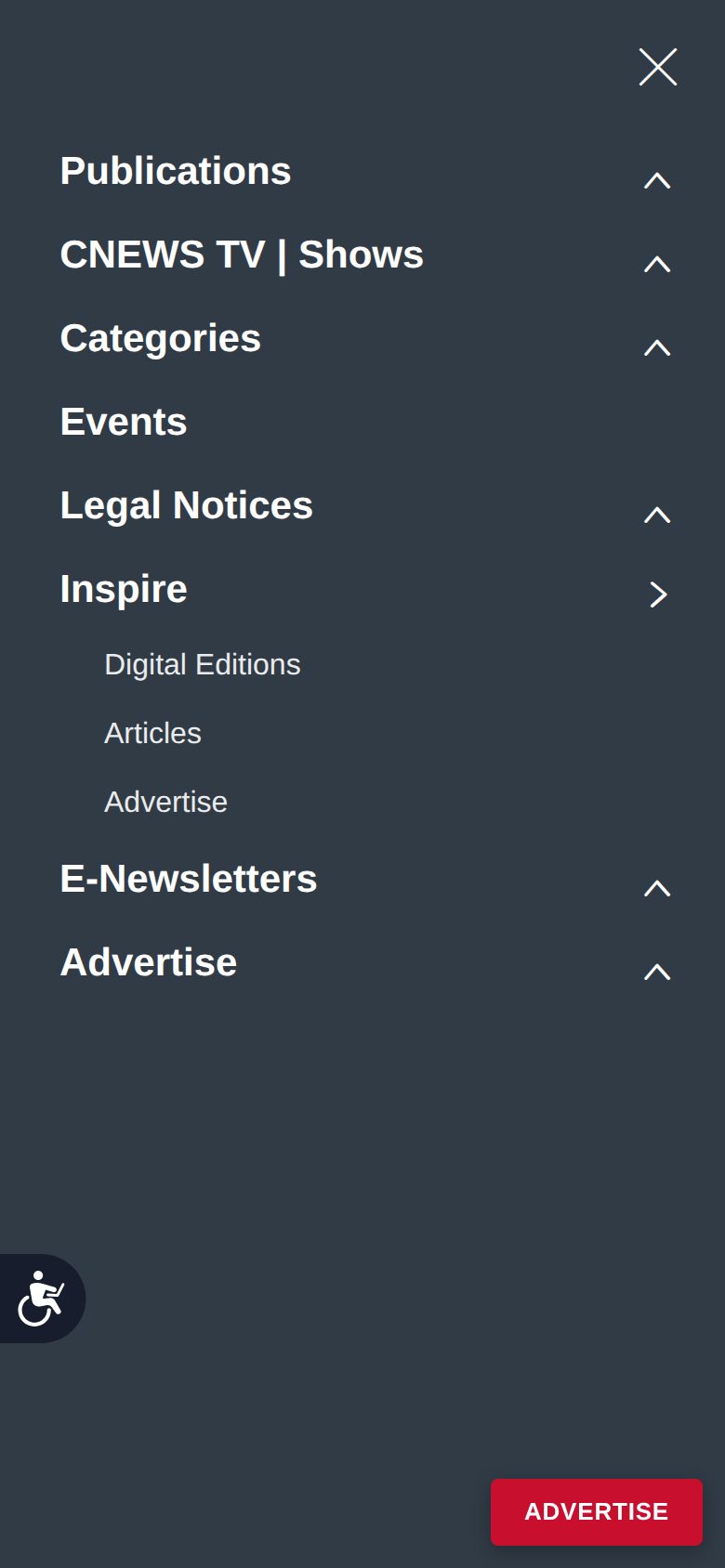
The Inspire dropdown now lists, in this order: Digital Editions, Articles, Advertise. Advertise opens Advertise page directly (page found, no redirects). Checked live on November 7, 2026, on desktop and on the phone menu. Every other menu entry is unchanged.

To go back to the earlier order, reply with this phrase: Roll Back Inspire Menu Order
Your rollback phrases
- Roll Back Past Editions Menu Name Change: puts the menu name back to the earlier wording.
- Roll Back Inspire Menu Order: puts the Inspire dropdown back to its earlier order.
What you can check yourself
Open Inspire page address on your phone and on a computer, hover or tap Inspire in the menu, and open an issue in the reader. If anything looks different from the screenshots above, reply with a screenshot and we will take a look.
NeedAWebNow.com · Client Portal