
02 — Website Search Box Fix
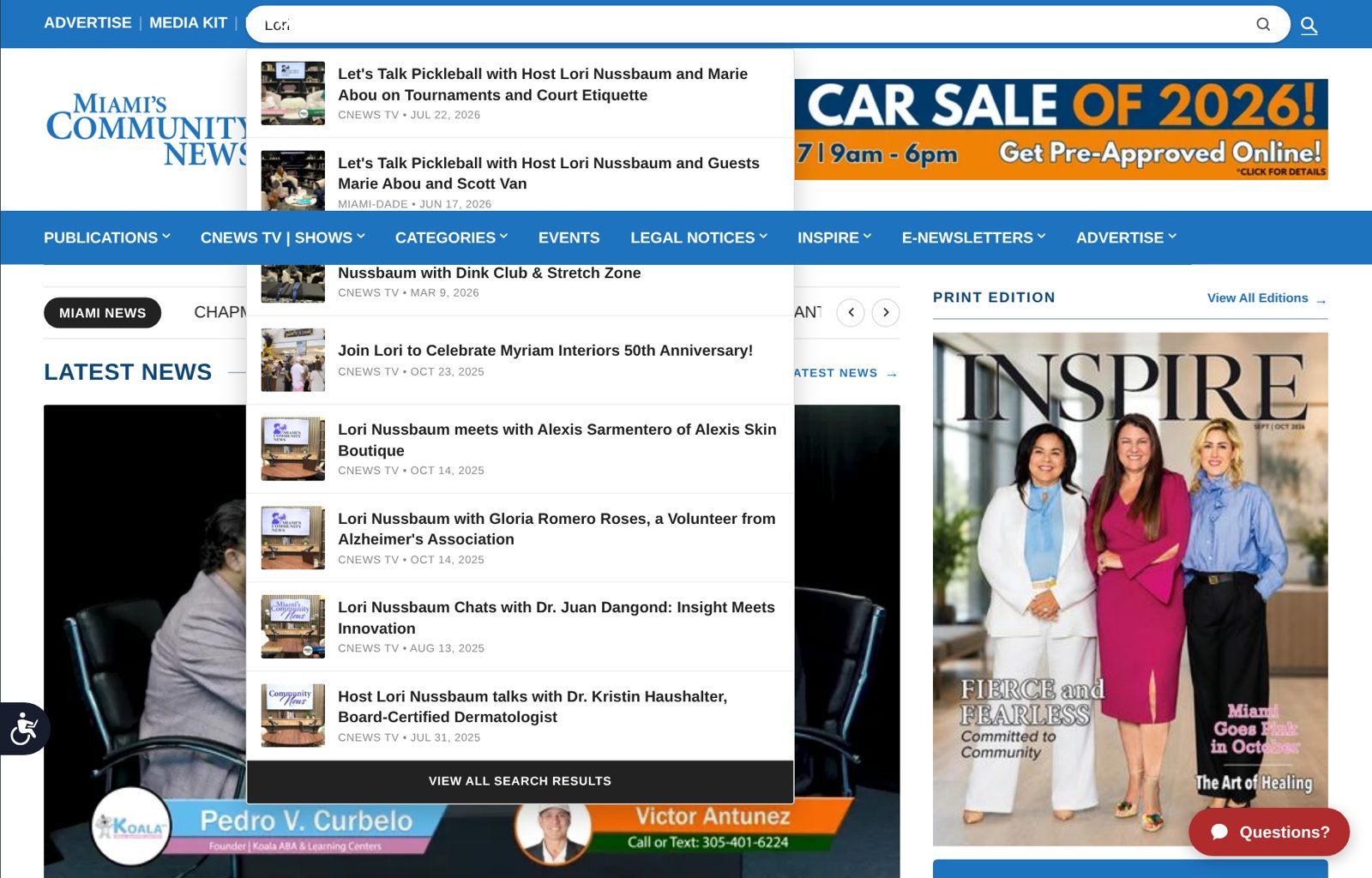
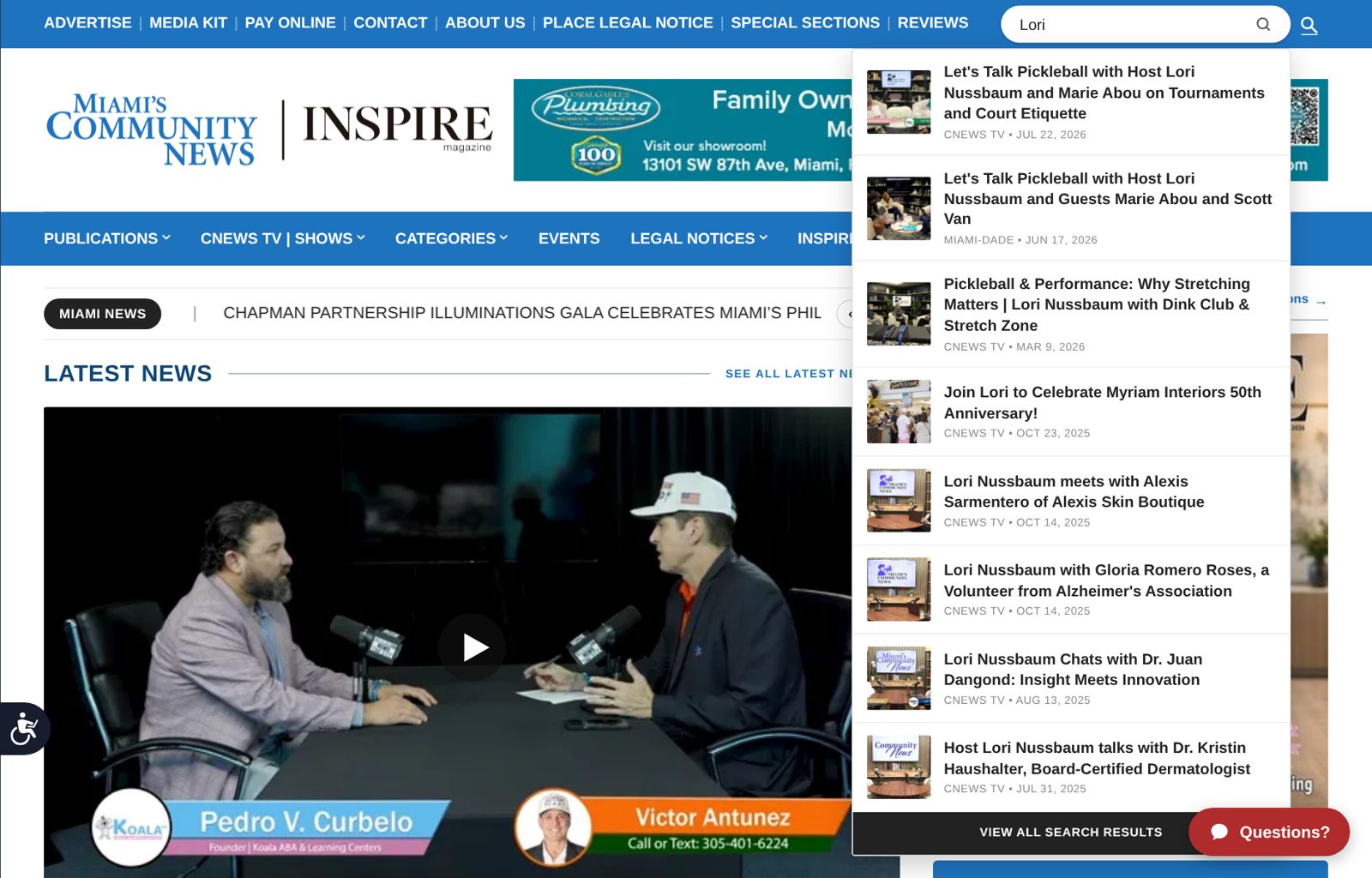
The search box at the top of communitynewspapers.com stretched across the header on laptops set to 150% screen scaling, hiding what you typed and pushing results under the blue menu. It now stays compact and every result opens above the menu. At Lori's setting the box went from 966 to 278 pixels wide, with nothing you type covered and no results hidden.
Every number on this page was measured on the live communitynewspapers.com by our automated browser check (Playwright with Google's Chromium browser) on October 22, 2026: before the change at 5:29 PM ET, after it at 5:32 PM ET. Screenshots are from the same check.
Website search box fixed: it no longer covers what you type
Live on communitynewspapers.com since 5:31 PM ET on Thursday, October 22, 2026.
What was wrong
On a laptop with the screen scaling set to 150%, the search box at the top of the site stretched across almost the whole header. It covered the first letters of what you typed, and the first search results slid underneath the blue menu bar, so you could not read or click them. This is the screenshot you sent us:
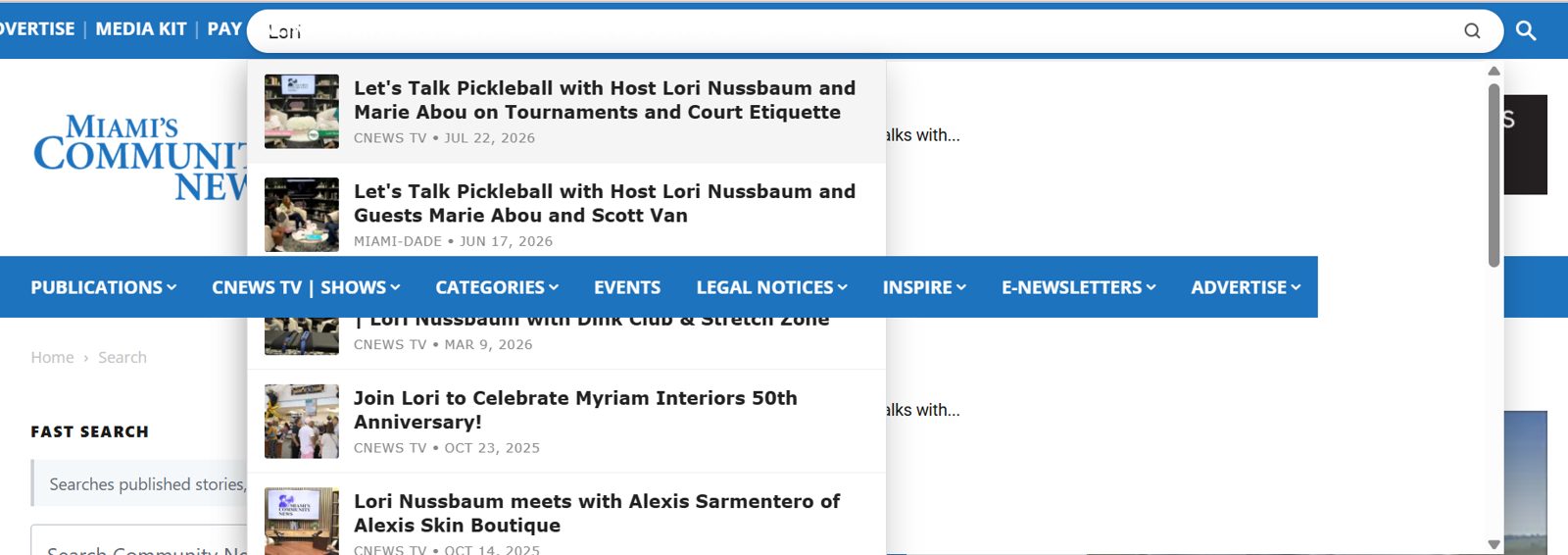
The cause was the size of the screen, not your laptop. At 150% scaling the browser behaves like a window about 1,250 screen pixels wide, and the header's search box was built for wider screens. Below that width it stretched to fill all the space it could find.
What we changed
- The search box now stays a compact size, to the right of the links at the top (Advertise, Media Kit, Contact and so on).
- The list of results opens straight down from the box, above the blue menu bar, so every result can be read and clicked.
- When the search is closed, the header looks exactly the same as before. On a phone, nothing changed.
The result, in numbers
| What we measured | Before | After |
|---|---|---|
| Width of the search box | 966 screen pixels | 278 screen pixels |
| Spots on the typed word hidden by other parts of the header | 872 | 0 |
| Search results sitting under the blue menu bar | 2 | 0 |
| Full list of results visible on screen | Yes, but partly hidden | Yes, all of it |
Measured by our automated browser check (Playwright with Google's Chromium browser) on the live communitynewspapers.com, at Lori's setting: 1,250 pixels wide at 150% scaling, with "Lori" typed into the search. Before: 5:29 PM ET. After: 5:32 PM ET, October 22, 2026. The check samples 872 points across the typed word; before the fix all 872 were covered, after the fix none are. A section page (Aventura) gave the same numbers.
Before and after, at Lori's setting
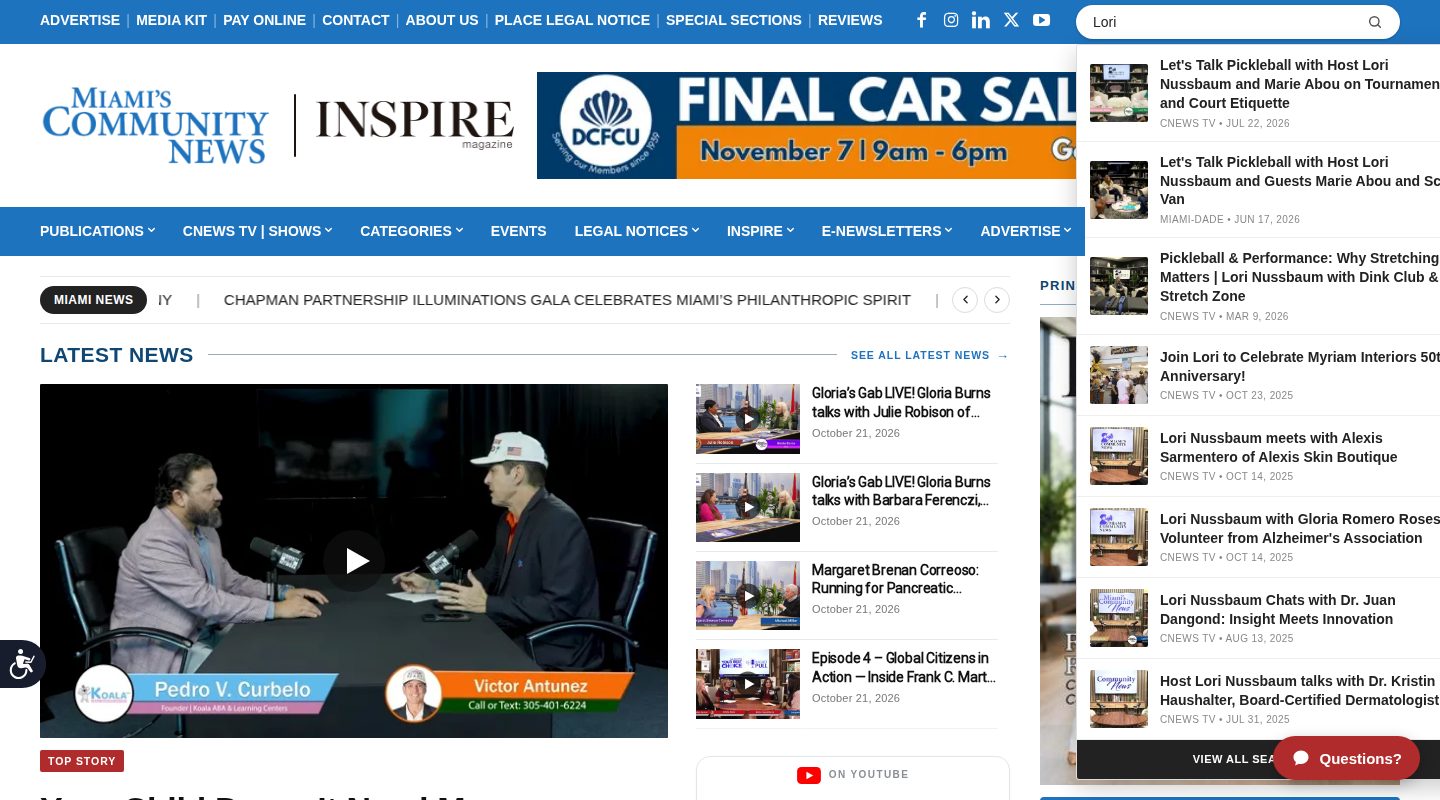
Before and after on a regular desktop screen
On a common desktop width (1,440 pixels), the box was already the right size, but the results list ran off the right edge of the screen. It now opens fully on screen.
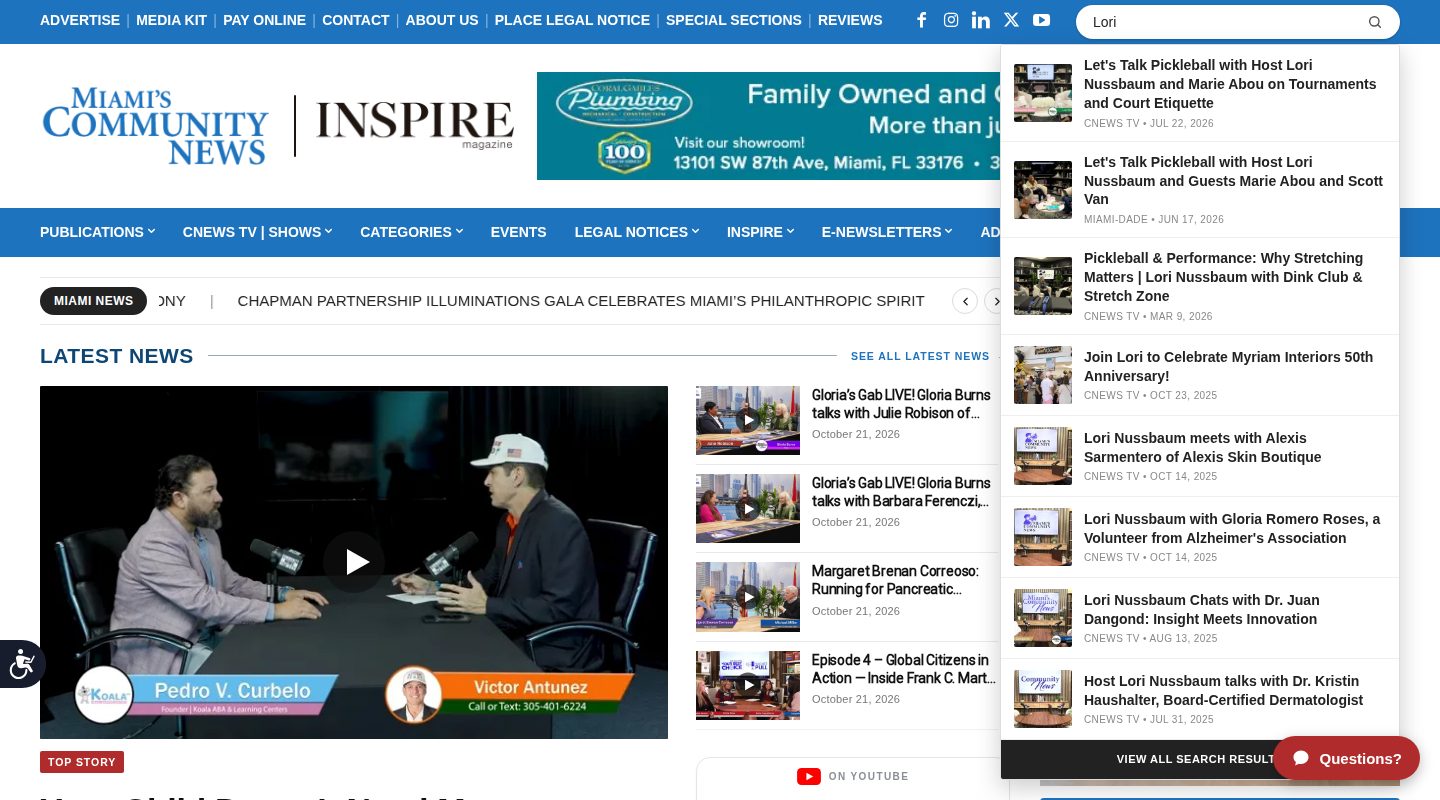
Every screen size we checked
Same automated browser check, live site, October 22, 2026, with "Lori" typed into the search. Numbers in brackets are before the fix.
| Screen width | Search box width (pixels) | Spots on the typed word hidden | Results under the menu bar | Whole results list on screen |
|---|---|---|---|---|
| 1,024 | 240 [910] | 0 [944] | 0 [2] | Yes [Yes] |
| 1,250 at 150% (Lori's setting) | 278 [966] | 0 [872] | 0 [2] | Yes [Yes] |
| 1,300 | 328 [1,016] | 0 [872] | 0 [2] | Yes [Yes] |
| 1,366 | 250 [250] | 0 [0] | 0 [1] | Yes [No] |
| 1,440 | 324 [324] | 0 [0] | 0 [0] | Yes [No] |
| 1,536 | 420 [420] | 0 [0] | 0 [0] | Yes [Yes] |
| 1,840 | 420 [420] | 0 [0] | 0 [0] | Yes [Yes] |
| 1,920 | 420 [420] | 0 [0] | 0 [0] | Yes [Yes] |
| Phone (390) | Full-screen search, unchanged | 0 [0] | Unchanged | Yes [Yes] |
On the phone, the two items the check reports in that column are the floating "Questions?" and accessibility buttons, exactly as before the fix. They are not part of this change.
We also compared the closed header, pixel by pixel, before and after on screens 1,366 pixels and wider and on a phone: no pixel in the header changed. The only differences were the rotating ad and the news ticker, which change on their own.
What you can check yourself
Open communitynewspapers.com on Lori's laptop at its usual setting, click the magnifying glass at the top right and type a name, for example "Lori". The box should stay to the right of the top links, everything you type should be visible, and the full list of results should open below the box, above the blue menu bar. If anything looks different from the screenshots above, reply with a screenshot and we will take a look.
NeedAWebNow.com · Client Portal